CMZTECH.NET
  • Blog
  • Graphics
  • Virtual Reality
  • 3D Printing
  • Fun Stuff
    • furiosus tangeret solum vitrum >
      • A new friend
      • Chorazin
      • Curious1
      • MRGAMERESOURCES
  • Contact

Another 3D Printed Head

2/19/2023

0 Comments

 
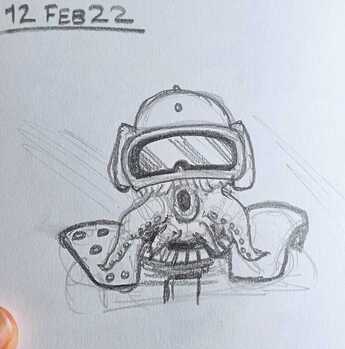
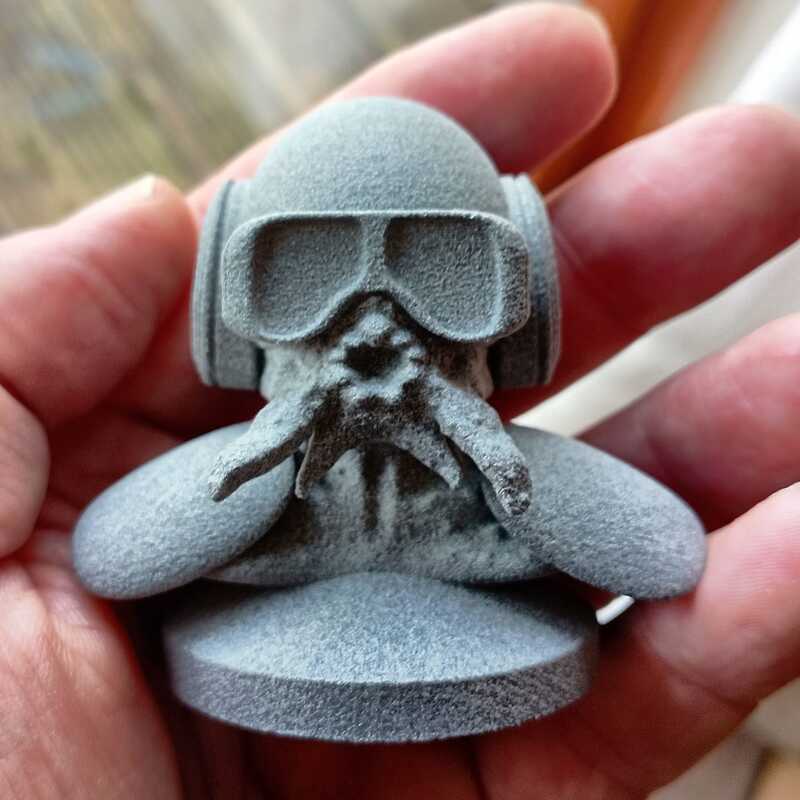
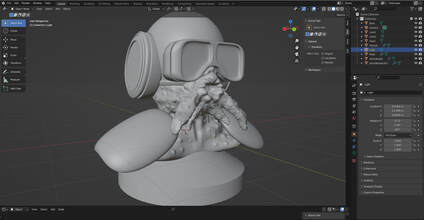
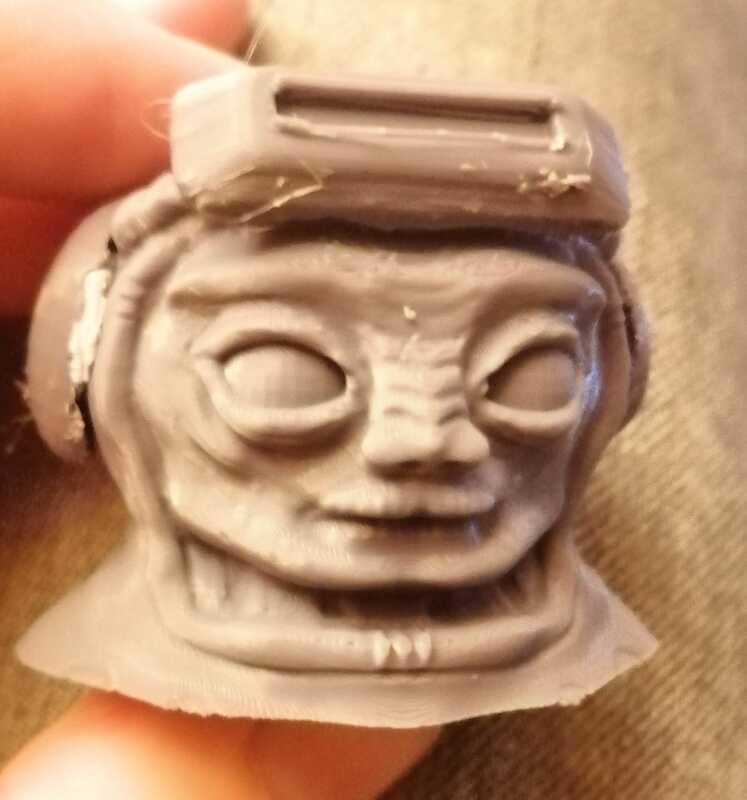
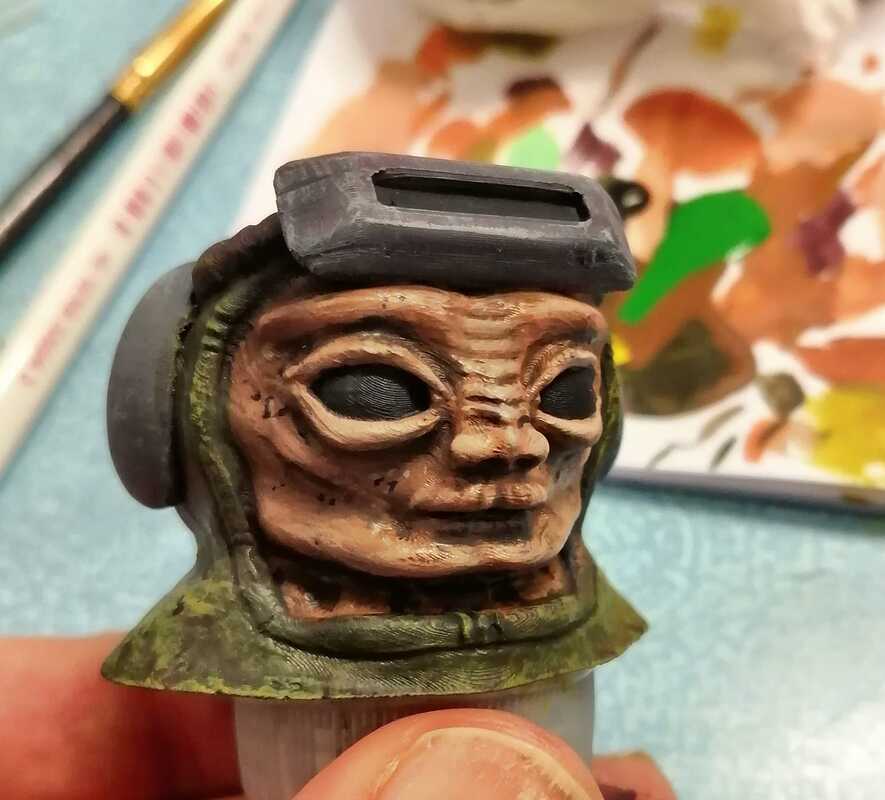
I got the urge to do a bit more 3d printing.  This was sculpted in Blender and printed using a mulitjet fusion machine by Shapeways.  As you can probably see the surface texture is... not ideal for scale models although the material does seem to be durable (it's nylon balls glued together). 
One good thing with SLS and MJS is no supports are needed which makes print set up simple.  If I was going to print this using FDM I would break it into parts and align them for supports and to make cleanup and painting easier.  Shapeways likes single part models though.   

I tried filling the surface with plastic putty but it just peels off when sanded.  Thick acrylic paint worked better and sands surprisingly well.  Contour putty thinned with acetone would have been better although that smell. 

​I filled the googles with epoxy to smooth out the printlines, painted them and then added a clear of clear gloss. 

But honestly this doesn't look as good as old FDM printer even when it wasn't tuned that well. 
Now I just need to fight the urge to buy a new ender-2.  :-) 

Picture
Velin Varchog. Aeroball Champion.

Picture
Sketch
Picture
MJS Print
Picture
0 Comments

3D Printed Bootleg Toy

11/4/2020

1 Comment

 
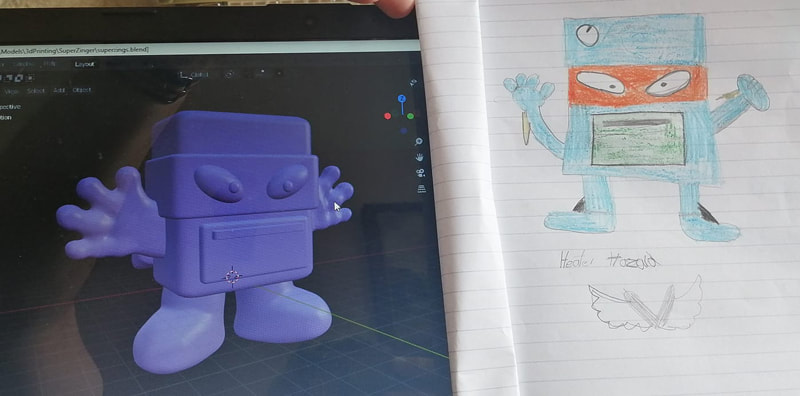
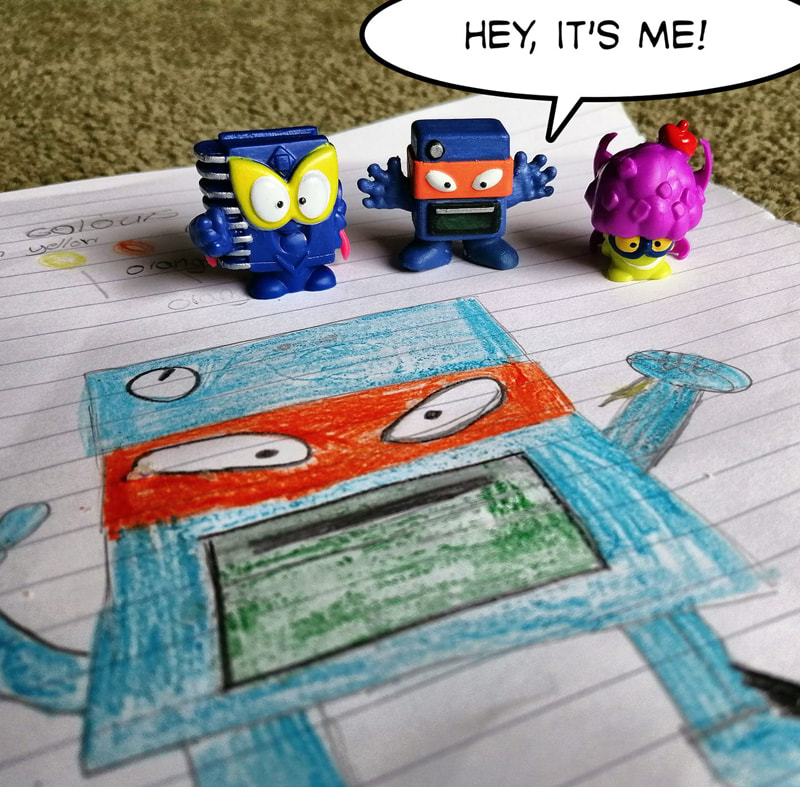
I accidentally got my 9 year old nephew hooked on some little blindbox action figure toys called SuperZings.  We worked together to design our own SuperZing.  He did the concept work and then I modeled, printed and painted the toy using Blender and my Ender3.
Picture
Copying the concept art in Blender
It was a fun little project and hopefully it inspires him to think creatively or something. 
Picture
1 Comment

3 Weeks Of 3D Printing, What Did I Learn?

3/9/2020

0 Comments


3 weeks with an Ender 3 Pro, printing model and miniature related content.  What did I learn?

Quality of the Prints
I tried the Ender with a .4 and a .2 nozzle.  The .2 nozzle and a small layer height will give the best quality. However even at the highest levels layer lines are still visible.  This basically means if you are making miniatures for display, it isn't good enough (in my opinion).  If you just want models for a game and don't care too much about quality then may be its OK.  Printing at high quality is very slow.

Another issue is glitches in the printer.  Obviously the Ender3 pro is very cheap and we are trying for very high quality prints, so any glitches or slips are a bad thing.  There are things you can do to minimize these like adding filters to the stepper motors, doing better calibration etc but there is a limit.  I had small amounts of slippage in x and z directions on most of my prints.  What this means is to get a perfect print you may have to print the model more than once. 
​
The conclusion I came to was the extra quality provided by the finer nozzle wasn't worth the extra time involved in printing and that the printer is too slow.  

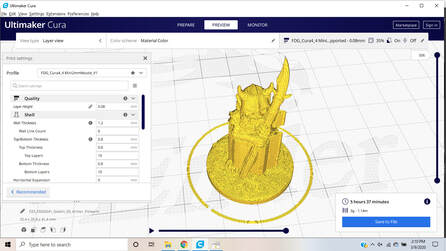
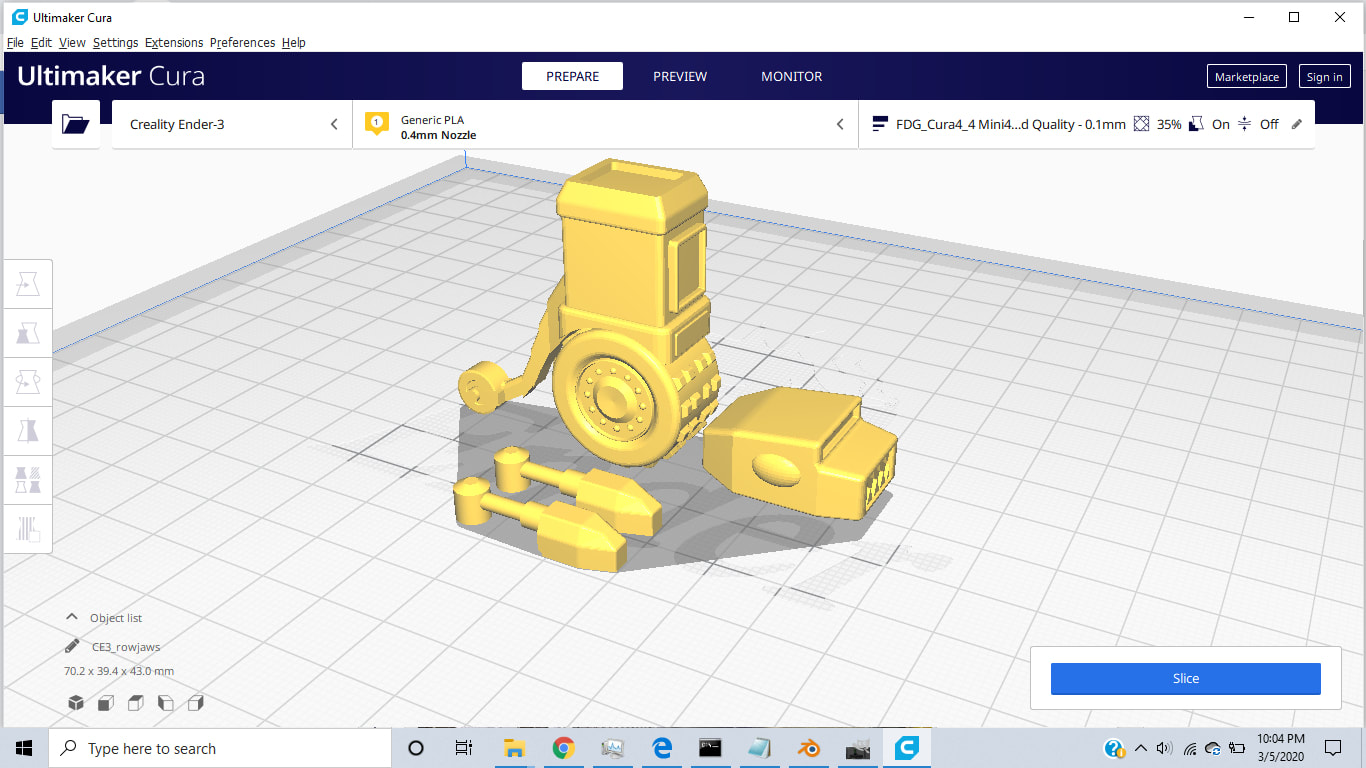
PictureCura, the slicing program
Default Quality =  2 hours
High Quality = 6 hours

Slicing
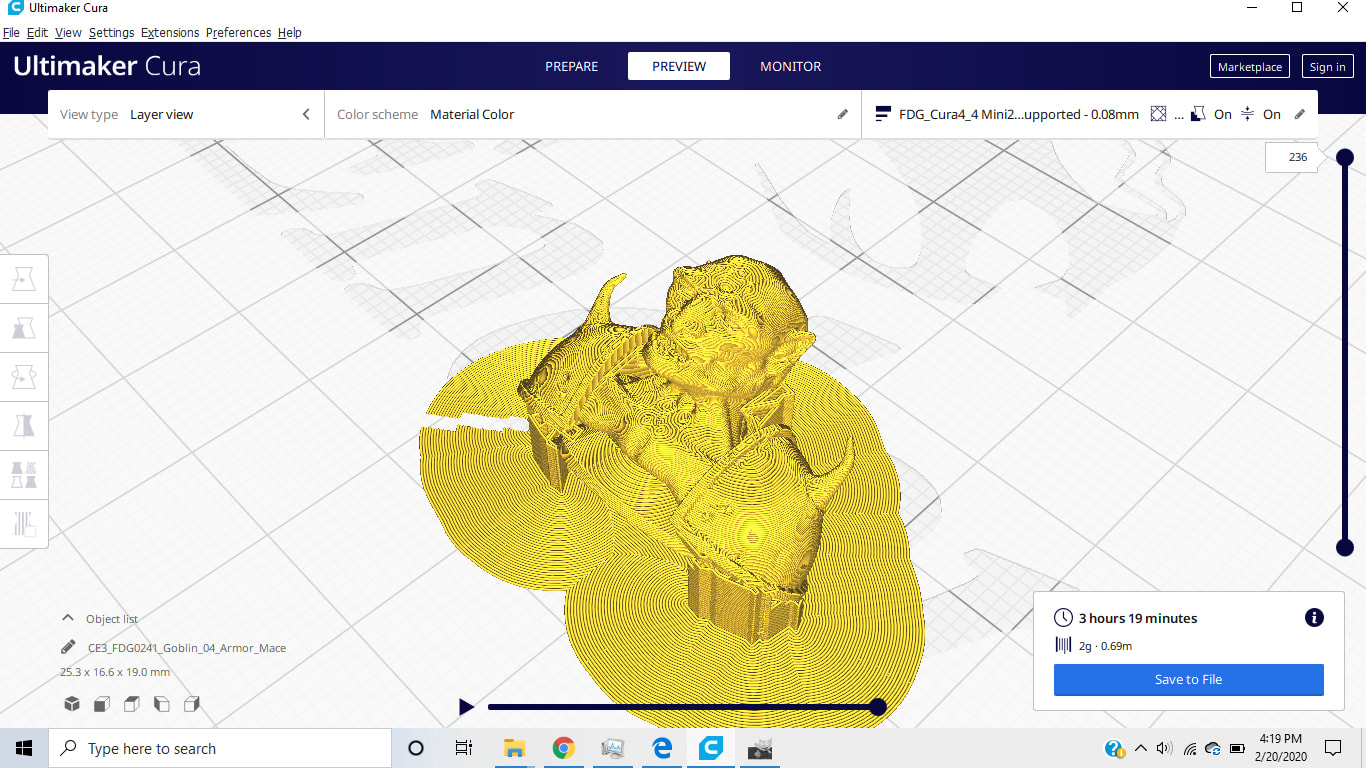
Before I got the printer I had done quite a bit of 3D printing using services like ShapeWays but I'd never had direct exposure to slicing.  Cura is a free slicer and seems popular with the miniatures community. It generates the gcode (Tool path) for the 3d printer. I had assumed that the slicer would just "rasterize" each slice but actually the fill pattern is quite complex, aiming for best quality whilst having a hollow component.  Cura is also where you add stuff like supports which are required to enable overhanging regions in the model.  You can also orient a model so that the supports don't obscure details on the face or front of the model.  
The biggest thing I learned about slicing was to trust the slicer.  You can move up and down the layers and play the tool path in the preview option after slicing.  Carefully checking the model Cura before printing saves hours of frustration with failed prints. 
I used the fat dragon games profiles for the printer, they are popular and work well.  Their models are also very nice if a bit simple, however they print without the use of supports and so are ideal for use with an FDM printer.  Definitely worth checking out. 

Finishing
Pla is actually pretty nice to work with with sandpaper, knifes, file etc and takes paint well, but because of the limits of FDM you are going to need to do a lot of it. This means it's probably best not to add a lot of tiny surface detail in the 3d model.  Use the printer to generate the gross shapes and then add surface details and texture the usual way with putty, etched brass etc.  Similarly design the prints for ease of clean up.  It's much easier to sand individual parts than a complete model in many cases.

What did I think of the Ender 3 Pro?
It didn't start well.  Somebody told me they burn houses down.  So a slow printer than can't be left unattended.  Mine was completely unaligned out of the box and took significant rebuilding.  The instructions are pretty much useless.  There are no exploded diagrams anywhere that I could find.  I had a magnetic bed, the plastic z-limit switch mount was designed for a glass bed which is thicker. So the z limit switch is in the wrong place.  Based on info on reddit, I cut the locating tab off mine and mounted it myself in the right place.  Oh and my print bad isn't flat which made bed leveling a challenge.

So if someone tells you putting an Ender together is like Ikea, they are talking nonsense.  It took me 2 afternoons to get mine together.

Pretty much anytime you do anything with the printer you are going to have to level the bed.  This is kind of a misnomer, what you are actually doing is making sure the bed is perpendicular to the print nozzle and is a good distance away from it.  The bed leveling springs as supplied are crap (get some thicker ones) and "the thickness of a sheet of paper" isn't very helpful since that distance depends on the nozzle size in play among other things.  Anway, bed leveling is a pain and takes about half an hour.  It definitely helps if the printer is in a brightly lit location.  It's hard to work on if you can't see.

I've run my printer for about 25 hours and I've had to tighten the x-axis belt tensioner.  I've also discovered that my y-axis wheels are too tight and are eating themselves against the drive rail.  
Changing filament isn't too hard.  Changing nozzle takes about half and hour, plus you'll want to level the bed after.

What I'm saying is that you can expect to spend an hour fiddling with the printer for every 6 hours it spends printing...  which isn't great.  It isn't terrible, but it isn't great either.

Summary
I would say this printer is good for roughing out parts. It's not really up to doing wargame miniatures at commercial quality levels, but for models or terrain as long as you don't expect perfect surface texture quality and are prepared to put in some work on the finished article it's not bad if a little frustrating to use sometimes.  Also as a prototyping machine to test prints before sending them out to Shapeways for higher quality printing its probably pretty good.  

0 Comments

3D Printed Character

3/8/2020

0 Comments

 
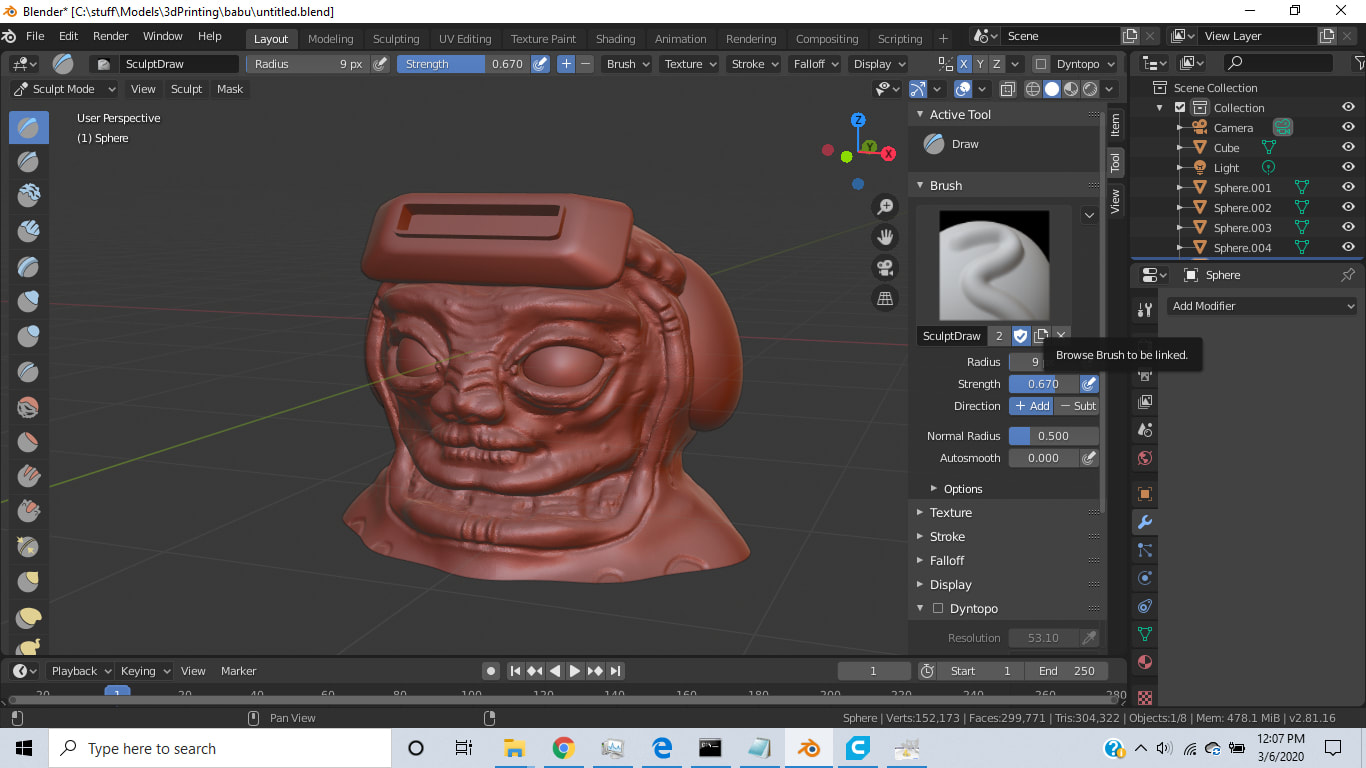
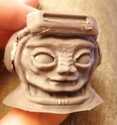
I had 2 days left with the 3D printer.  I modeled up a little alien guy inspired by Babu Frik in the latest Star Wars, printed it on the Ender and then painted it.  The wet look on the eyes is 5 minute epoxy and his 'tash is golden retriever hair I found on the carpet. Thanks Abby. 
Still fighting with the fact that the printer is so slow and the quality isn't where it needs to be.  I tried filling the very obvious layer lines with a mix of acrylic filler and paint. It sort of works, but its a pain. 
Picture
Picture
Picture

Oh and before I forget...

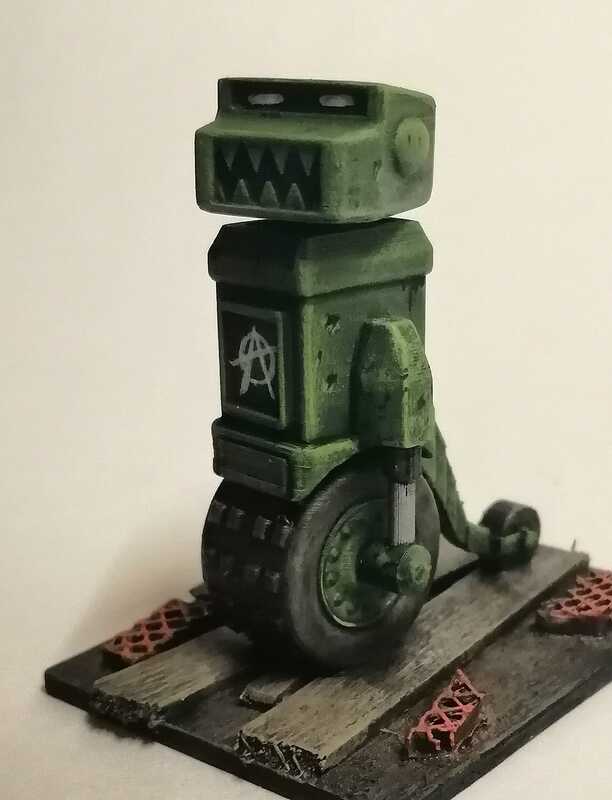
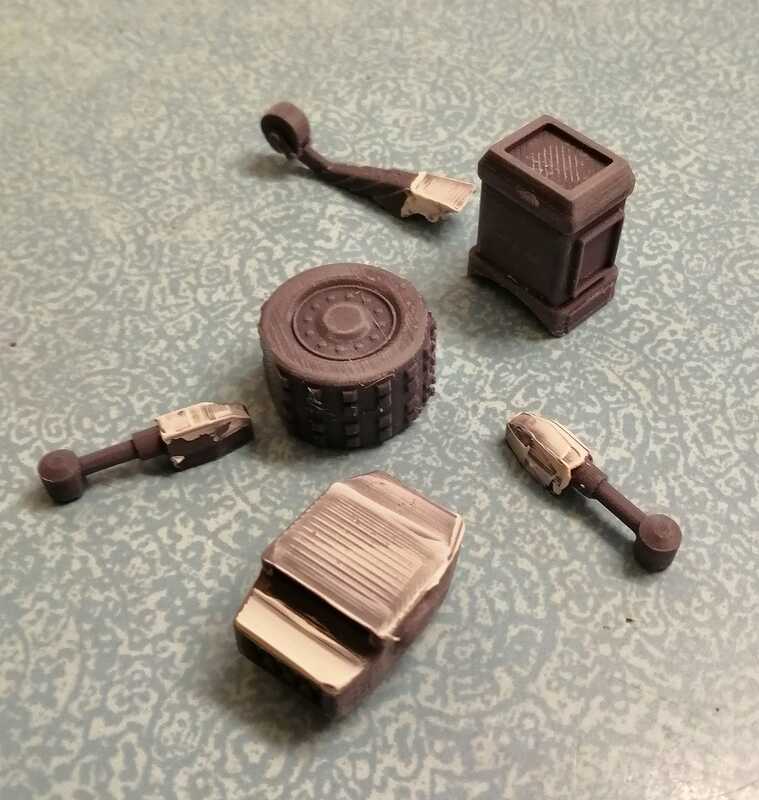
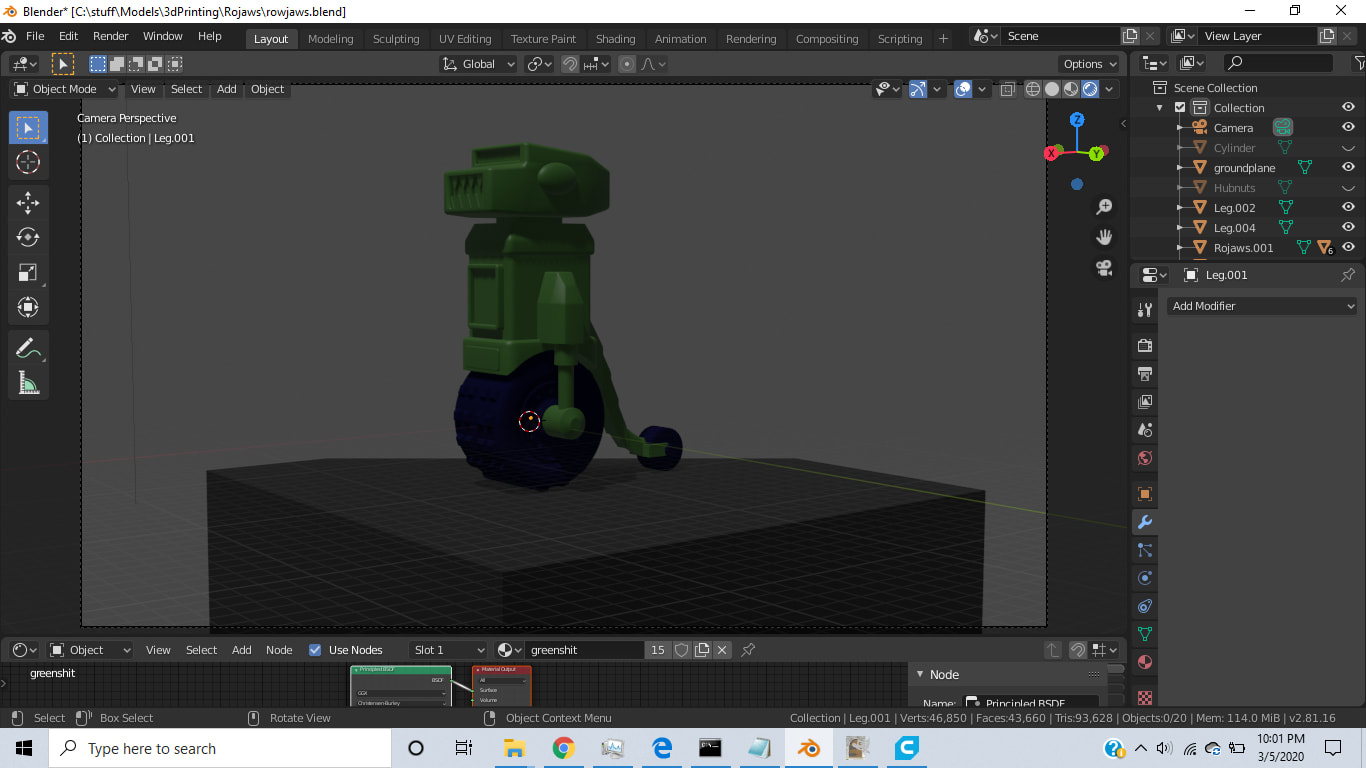
I made a little RoJaws too. This was an experiment is parts breakdown.  It seems to me that smaller pieces are better than trying to print as a whole statue. 
Picture
Picture
0 Comments

A Goblin: First OK Print

2/20/2020

1 Comment

 
Printed a Goblin from Fat Dragon Games using their custom profile for Cura and a .20 nozzle.  I've deliberately painted it to emphasize the layer lines.  At normal viewing distances of around a foot, the layer lines are not visible.  I'm pleased with the performance of the printer although it's very slow at this quality level. This print took around 5 hours.
Fat Dragon Games has some excellent set up videos, some printer profiles that seem to work well with the latest version of Cura and their models are fun looking and seem well designed for printing.
It's important to realize this model is 32mm tall, so the photo is much larger than real life.

Picture
1 Comment

What Colour PLA Should I Pick?

2/20/2020

0 Comments

 
Like colour makes difference to me? I'll be painting everything I make anyway.  My printer shipped with a small roll of white PLA.  It seems to work great, but because it's white and slightly translucent it can be a bit hard to see, so I bought a giant drum of red PLA instead.  It's slightly easier to evaluate the prints.
This does make me wonder though, why is PLA sold in such large rolls?  For the small things I plan to print a single large drum is a lifetime supply.  I would have rather bought a selection pack of different colours in shorter lengths.  My current print is going to use 2g of material and takes ~4 hours :-0 
Picture
0 Comments

Setting up an Ender 3

2/18/2020

0 Comments

 
Found myself in a situation where I needed a project for about a month so I picked up an Ender 3 Pro to have a play.  I've seen some very impressive prints from these basic FDM printers, but I've also seen some terrible prints too....

This is Not a Setup Guide

I'm an idiot, don't listen to me.  Apparently these things are as easy to build as IKEA. I found it a bit of a pain to put together.
Where are the instructions?
There are some instructions in the box, but most are on the micro sd card. There are also some test print files. However the test print models are pretty big, you might want to find something smaller to start with.
Get the base flat:
Take the base out of the box (the big bit shaped like an H) on a flat surface and check that all four feet are touching and that it doesn't rock. If it does, it's not aligned.  You'll need to slacken off the bolts holding it together and get it straight.
Get the uprights parallel:
The next step would have you attach the 2 vertical extrusions to the base.  However all the holes are slightly over sized so you can make life easy on yourself by attaching the top piece to the verticals on a flat surface to make a U shaped component. That way you know the verticals are pretty well aligned with each other.  Attach them to the base, and then remove the top bar to finish assembly.
Adjust build plate:
The build plate moves back and forth on the y axis ( z is up and x is left to right).  The plate runs on 4 wheels on the extrusion.  If its wobbly, tighten the eccentric nut with the included wrench until it moves smoothly without wobbling.
Check for alignment:
With the printer assembled but powered off, it should be possible to smoothly move the parts along all 3 axes.  Z will be tighter because of the worm drive, but the worm drive shouldn't be bent or under load.  If the print head carriage is binding, your printer is bent.  Undo the bolts and straighten it out.  This is why I suggest starting with a known good flat base and getting the verticals perpendicular.
Limit Switch:
The original Ender came with a glass bed.  The pro comes with a magnetic bed.  The glass is much thicker than the mag bed which means the Z limit switch isn't in the right place.  It's keyed to the frame with a little plastic tag.  Reddit said cut it off so I did, then with the bed springs crushed down more than 50% I guesstimated a good spot for it.  While we are talking about bed springs, the stock ones are a little weak, get some stiffer ones.  They are an easy and cheap upgrade.
Plug:
My unit came with the correct voltage PSU and English instructions but a French plug so go figure. Also since one of these machines once caught fire, I got a smoke alarm that lives by the printer

Summary:
Assembling this thing was not at all straightforward or foolproof. Bring patience and your A game. It doesn't help that the entire unit is made out of black materials.  If would be much easier to see what was going on if it were made in a lighter colour. It took me 2 afternoons to assemble because of the alignment issues. 
​
Enough moaning, once I got it together it works fine :-)


0 Comments

3D Printing Donald's Head

8/1/2018

1 Comment

 
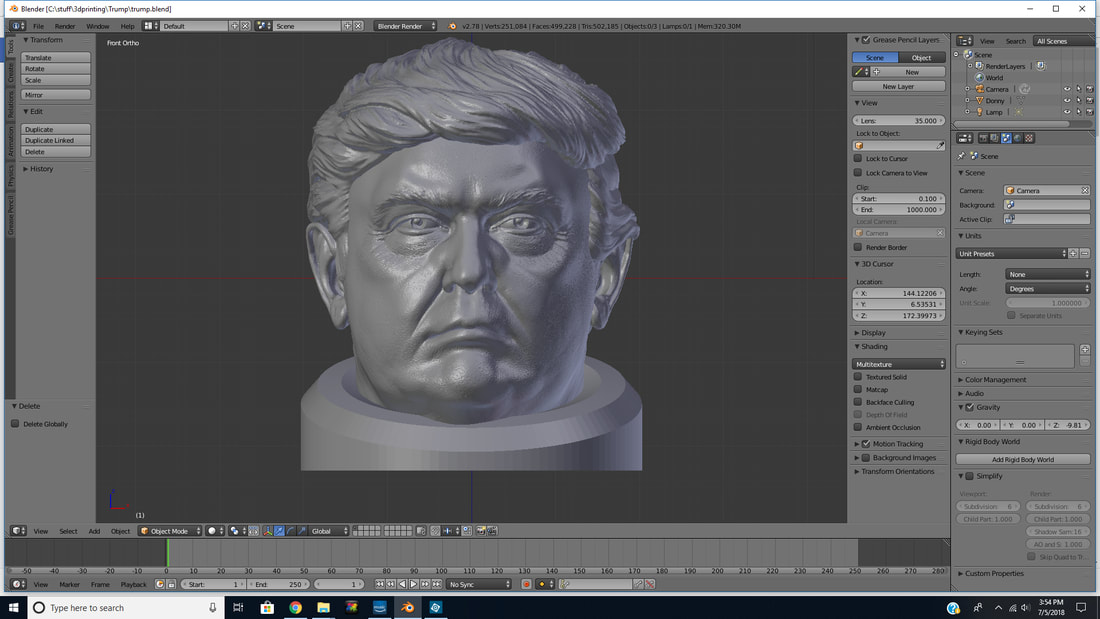
Not so much a political statement as an experiment in how small stuff can be printed using Shapeways.  I had a bust of Donald already from a previous project but I thought it might be fun to print a head for use on toy soldiers.  A content as my local hobby store provided some extra motivation. 
The first thing I had to do was cut the head off the bust and create a new neck in Blender. Then I scaled the head to match a typical 28mm model head.  I sent this off to Shapeways.   What came back was actually slightly too small.  The problem with small parts is that half a mm is a lot on a head that's 4mm wide.
I really need to buy a better micrometer, with a digital read out.  The one I have is a really basic mechanical model.  This is the key tip when working with Shapeways.  Triple check your measurements.  Then measure again. 
Picture
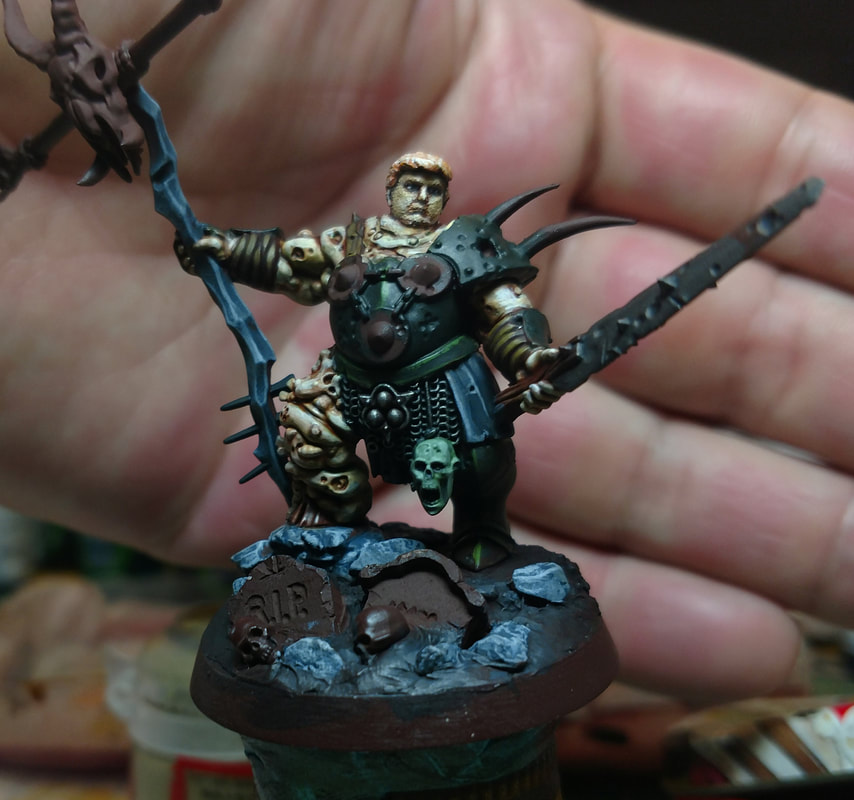
I printed the head using the highest quality settings aka "Smoothest Fine Detail Plastic".  Turn around was pretty reasonable at about 6 days.  Now I just have to finish painting this thing by the weekend.
​
Picture
Picture
1 Comment

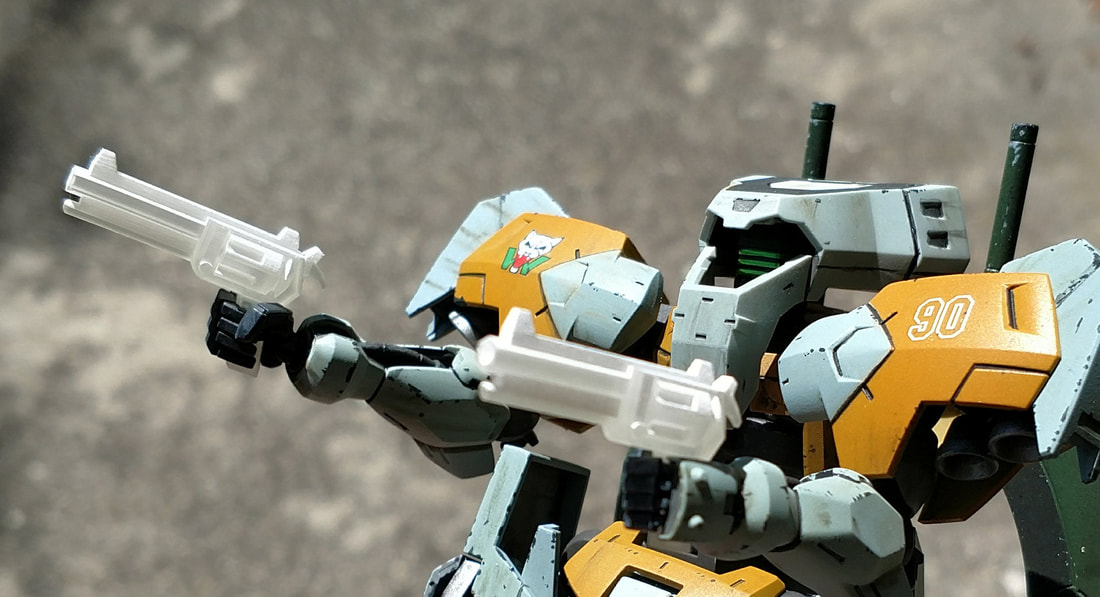
3D Printing for Gundam (pt2)

3/28/2018

1 Comment

 
Picture
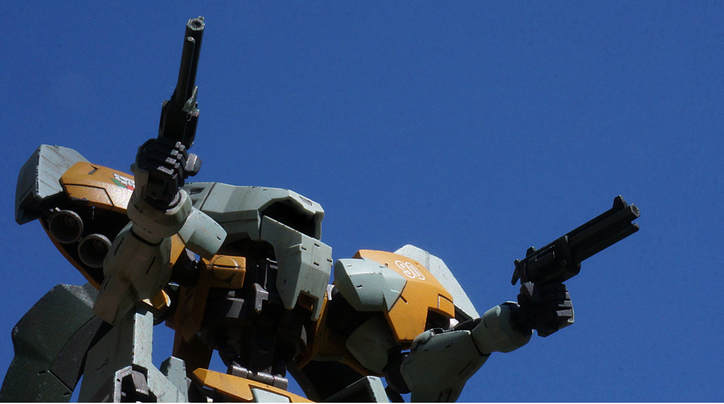
The Gunslinger
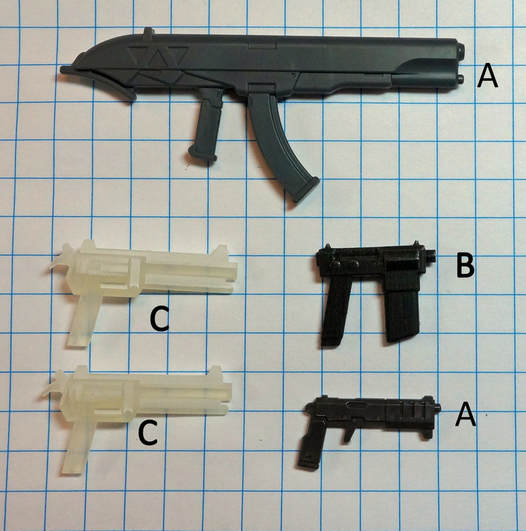
I cleaned up and painted the hand cannons as well as a machine pistol style weapon.   First picture shows the weapons against a 1/4" square grid.  The revolvers are just over an inch long.
Picture
A) Injection Molded, B) Acrylate, C, Frosted Extreme Detail

Adding Paint

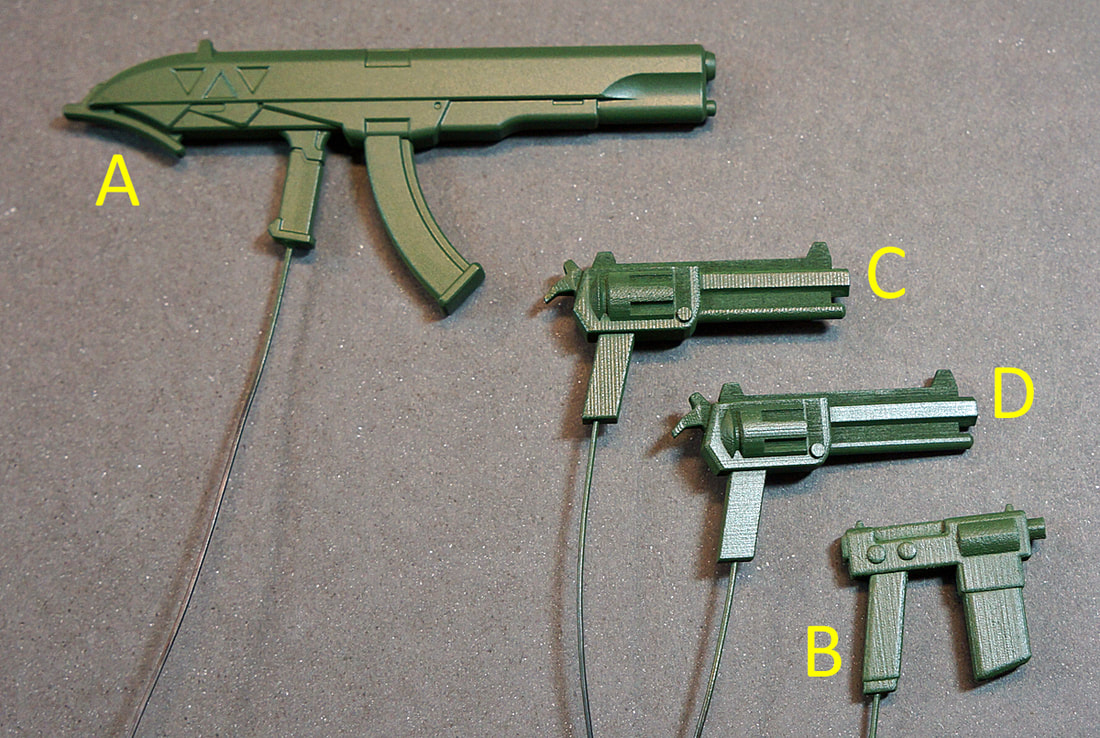
This next picture shows the parts once they have been painted with a flat deep green (Tamiya) and then glossed with Future floor wax. Future is used as a barrier to protect the base paint from subsequent layers of weathering. The wires are handles to make painting easier.  
Observations here: 
  • The gloss paint really highlights the printing artifacts.
  • The acrylate print has a softer look and the stratification artifacts almost look like wood grain.
  • The revolvers were presumably printed in the same batch but at different orientations.

Picture

Final Product

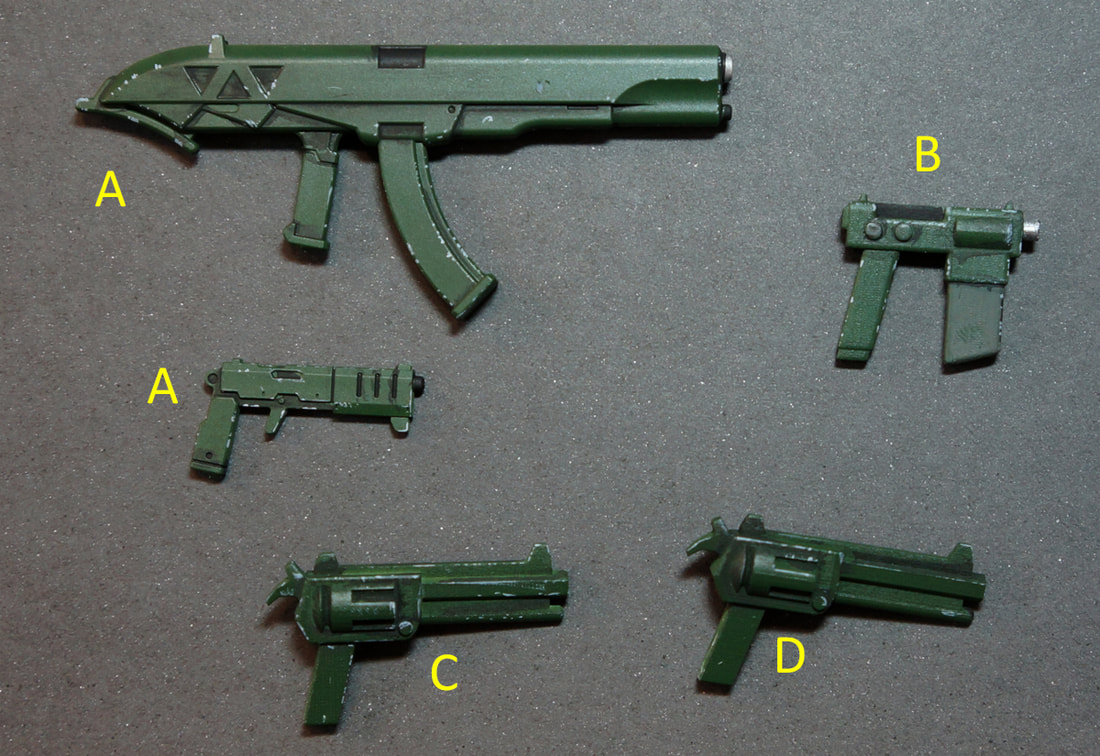
In the final image, the parts have been weathered and had some detail paint applied.  Is the detail on par with injection molded parts? No.  Is it good enough? I think it is. 
Picture

Get Your Giant Guns Here!

I've made the pistols available for sale on my Shapeways store if you fancy checking them out.  They cost about $5 dollars each at the time of writing. I don't profit from it.  Or download a 3d modeling package and make your own.  Blender is great choice as is Fusion360. Both are free and there are plenty of tutorials online. 
1 Comment

3D Printing for Gundam

3/26/2018

0 Comments

 
I made some pew pew guns for 1/144 scale Gundam.  These were modeled in Blender and printed at Shapeways using FUD (fine ultra detail).  It'll be interesting to see how these look painted. I can see stratification on the parts but that may go away under paint.   I'll report back. The gun is modeled after the gun that Hellboy uses.  The fun part of this was that blenders STL export had some of the triangles reversed, but using dae ( Collada) was fine.  I was at Sony when we launched Collada ( I only played a small part) so its always great to see it being used out in the wild. 
Check out part 2 where paint is added.  
Picture
0 Comments
<<Previous

    David Coombes

    Making stuff

    Categories

    All
    3D Graphics
    3D Printing
    3D Scanning
    AI
    Blender
    Cycling
    Development
    Environment
    Futurism

    Archives

    February 2024
    January 2024
    November 2023
    September 2023
    August 2023
    February 2023
    November 2022
    April 2022
    February 2022
    January 2022
    February 2021
    January 2021
    November 2020
    May 2020
    April 2020
    March 2020
    February 2020
    December 2019
    November 2019
    September 2019
    August 2019
    July 2019
    January 2019
    December 2018
    October 2018
    August 2018
    June 2018
    April 2018
    March 2018
    February 2018
    January 2018
    July 2017
    June 2017
    May 2017
    April 2017
    March 2017
    January 2017
    September 2016
    August 2016
    July 2016
    May 2016
    April 2016
    March 2016
    December 2015
    November 2015
    August 2015
    July 2015
    June 2015
    April 2015
    March 2015
    February 2015
    January 2015
    December 2014
    November 2014
    October 2014

    RSS Feed